

Naïma Vachon-Léger
cybersecurity advisor, Montreal (fictional expert)
The views in this interview are those of a fictional expert created for this guide.
Meeting someone online without exposing more than you intend starts with a few practical choices: protect the account, limit an application's permissions, think before sharing personal details and keep control over the pace of a conversation. To explore those habits, we created Naïma Vachon-Léger, a cybersecurity advisor in Montreal, as a fictional expert created for this guide. Her approach is not about treating every person with suspicion. It is about leaving fewer useful traces behind.
Verified on November 26, 2026
Meet the imagined expert
Naïma Vachon-Léger is an imagined advisor created for this interview. Her examples are deliberately ordinary: someone updating a profile from the couch, replying between métro stops, or agreeing to continue a conversation on another service without pausing to consider what that change may reveal.
Her starting point is reassuring. Digital caution does not require anyone to become cold or distrustful. Instead, it protects a person's ability to choose. When a conversation stops feeling right, you should be able to slow it down, block an account or revoke an authorization without worrying that too much personal information has already travelled elsewhere.
This discussion complements our guide to online dating. It does not focus on spotting false profiles or on financial fraud. Those subjects are covered in our article about romance scams in Canada and their warning signs. Here, the focus is your own digital hygiene: access to your accounts, your device, your photos and the habits that shape what others can learn about you.
Start with settings, not with the profile
What should a person do first when opening a dating account?
Naïma would begin with the settings rather than the biography. Before posting a picture or answering a message, look at what information the service may display, who can contact you and which permissions are already enabled on your phone. The purpose is not to turn every feature off automatically. It is to decide which functions are useful to you and decline the ones that are not.
Permissions deserve particular attention because they can connect an account to information stored on the device. Consider the camera, microphone, contacts, photo library and location separately. A request may be reasonable for one function and unnecessary for another. The Canadian Centre for Cyber Security recommends practical protections for accounts and devices, including multi-factor authentication.
That quick review also makes it easier to resist the urge to approve every prompt just to get past a screen. You can revisit settings later, but a deliberate first choice gives you a clearer sense of what the service can access from the beginning.
Is it useful to keep dating conversations separate from important personal accounts?
It can be. An email address used mainly for dating conversations may create some distance from an address used for bills, family communications or administrative matters. That separation is not a substitute for account security, and it does not make someone anonymous. Strong passwords, multi-factor authentication and careful sharing still do the most important work.
Naïma suggests sorting accounts into categories. Which ones are connected to everyday life? Which receive sensitive information? Which channel feels appropriate for a new acquaintance? Thinking through those questions in advance makes later decisions less stressful if a conversation becomes overly demanding or if you simply want space.
What should stay out of a dating profile?
A profile can convey personality without becoming a detailed record of your life. Avoid information that makes it easy to map out your routine: a complete address, a highly specific workplace, a predictable schedule, a personal phone number or a primary email address. Photos can also reveal more than intended. A front door, access card, school name or regularly visited location may provide useful clues to someone you do not know well.
For ideas on building a profile that still feels lively and specific, see our guide to dating profile photos, bios and first messages. An interest, a favourite kind of weekend or an activity you enjoy is usually enough to start a conversation. More personal detail can wait until trust has developed at a pace that suits you.
The same principle applies to information about people around you. Saying that you live with a pet or have children is different from naming them, identifying a school or sharing a family routine. You decide what belongs in an early introduction and what belongs in a later conversation.
Protect the accounts behind the conversation
What makes a strong password or passphrase for a dating account?
A password should not be reused from one account to another, especially when one of those accounts opens the door to your email or other personal information. The Canadian Centre for Cyber Security recommends using, where possible, a passphrase with at least four words and 15 characters. A memorable phrase that is not easy for others to guess is more useful than a rushed string of characters.
Uniqueness matters just as much as length. If one password is used everywhere, a problem affecting one account can put several others at risk. A password manager may help create and store distinct credentials so that each important account has its own protection. The federal guidance on passphrases and passwords offers useful starting points.
Rather than inventing a new password while distracted by a message, take a moment to set the account up properly. The small delay is easier to manage than recovering access after an account has been compromised.
Is multi-factor authentication worth the extra step?
Yes. Multi-factor authentication adds a check beyond the password. It requires two or more different authentication factors, such as something you know, something you have or something you are. A password might be one factor, while an authenticator application, passkey, security key or fingerprint can provide another.
That does not turn an account into an impenetrable fortress. It does reduce the chance that a compromised password alone will be enough for someone to sign in. Naïma would activate it first on the email address connected to the dating account, because email often receives password-reset links and security notices.
Choose the method that you understand and can maintain. A security feature only helps if you can use it confidently when you change phones, travel or need to recover access. Keep recovery information in a safe place that is not casually available to other people using your device.
Location, photos and the information that follows you
Why does location access deserve special attention?
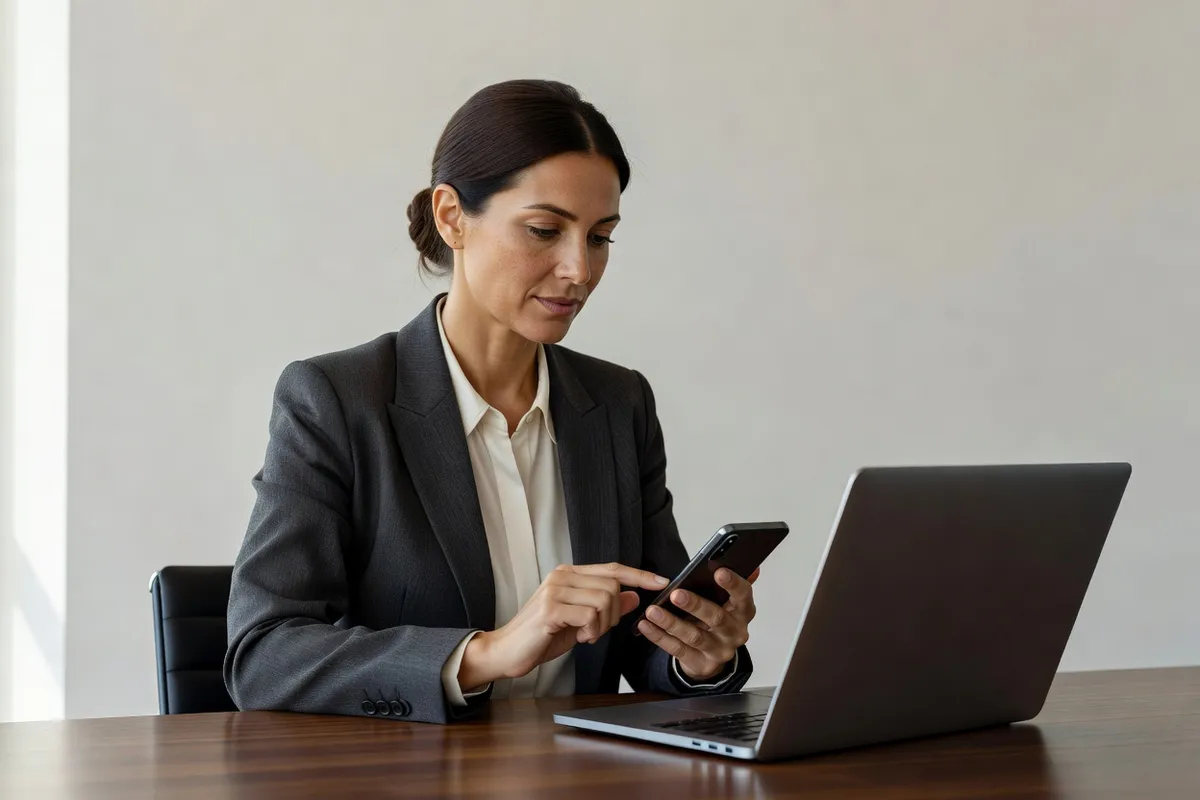
Location-based services can collect information that identifies a person or their device. Naïma recommends allowing location access only while using the application, and only when that feature is necessary. When you no longer need it, remove the permission or turn off location tracking on the device.
This does not mean you cannot use a feature that helps you find people in your area. It means deciding when that information is useful. A general area is often enough. You do not need to make your position continuously available to participate in a service.
Check the phone's system settings as well as the account's own settings. A service may have its own privacy controls, while the device controls how broadly an application can use location, contacts, camera access and other information. The federal guidance on protecting information and data when using applications encourages users to limit permissions to what an application truly needs.
Can photos disclose more than people expect?
They can. A picture may show a building number, a licence plate, paperwork on a table, a school sign or a detail of a familiar commute. Depending on the settings and the way a photo is shared, technical information may also travel with the file. Before sending an image, take a few seconds to inspect the background and ask whether you would be comfortable if the image were saved or forwarded.
Naïma uses a simple rule: do not send a photo that you would be unhappy to see outside the context you chose. That is not about blaming anyone who shares images. It is a reminder that once a file has been sent, control over copies and circulation is reduced.
A plain background can make a profile photo easier to review. You do not need a staged portrait; you only need to notice what else is visible. That small habit also applies to video calls, screenshots and images sent to a new messaging service.
Which details are best kept private at the beginning?
Keep identity documents, banking information, passwords, verification codes, full addresses and answers to security questions out of an early conversation. Information about relatives deserves the same restraint. A person can be warm, funny and interesting without handing over the details that would help someone piece together their offline life.
Keep control when a conversation moves
Why do some people want to move a chat away from the original platform quickly?
There are many possible reasons, including convenience. Another messaging service may be more familiar or easier to use. Still, the Canadian Anti-Fraud Centre identifies a quick move to text messages, email or a more private channel as a sign worth considering in the context of relationship fraud.
Naïma does not treat that sign as an automatic verdict. She suggests a more practical question: does this change give me more control, or less? If the other person becomes impatient, guilt-inducing or unwilling to respect your preference, you have every right to remain on the original platform, slow down or stop responding.
This is about your comfort, not about proving that the other person has bad intentions. A conversation can stay where it is until you decide that another channel makes sense. You do not owe someone access to your personal number simply because the exchange has been pleasant.
How can someone move to another messaging service more carefully?
Choose a channel that does not immediately reveal your main phone number or primary email address if that matters to you. Before moving, review the other service's settings: who can see your profile photo, status, contacts or account details? A considered transition should never be a reward granted under pressure.
Video can be useful for deciding whether a conversation feels comfortable, but it is not a test you must pass. Keep the background simple, check what appears in the frame and avoid displaying documents, objects with your address or detailed views of your home. You can suggest a short call, defer it or decline it altogether.
If a conversation becomes uncomfortable, save any information you may need before blocking an account. When you suspect fraud or have shared sensitive details, the Canadian Anti-Fraud Centre advises reporting the matter to local police and the Centre. Its official guidance for people affected by fraud explains practical next steps.
Take digital safety with you to the first date
What digital habits are useful before meeting in person?
An in-person meeting benefits from straightforward preparation, not alarming scenarios. Choose a public place, tell a trusted person about your plan if that reassures you and make sure you can leave under your own arrangements. From a digital perspective, avoid sharing your home address merely to simplify logistics. A clear meeting point is enough.
Our guide to the first date explores how location, comfort and the pace of a meeting can shape the experience. A conversation that feels enjoyable on a screen never obliges you to continue a meeting that no longer feels right in person.
Review what you have already shared before leaving. You may decide that a person knows enough for now. Keeping your home, work routine and usual travel pattern private is not unfriendly; it simply preserves room to make decisions as the connection develops.
What if someone asks to use my phone during the date?
You can say no without making it a major discussion. A phone can provide access to notifications, photos, open accounts and sometimes sign-in methods. Even in an ordinary situation, there is no need to hand the device to someone you have only recently met.
After the date, take a moment to review shared photos, new contact requests and any changes to your privacy settings. You are not required to reply immediately. That pause can help you decide calmly whether you want to continue talking, set a boundary or let the conversation end.
Close accounts and reclaim your information
What should someone check when they no longer want to use a service?

Deleting an application from a phone is not always the same as closing the account. Look for the options to deactivate or delete the profile, remove payment methods where relevant and stop notifications. Keep a record of your request if the service allows it, particularly if you may need to return to the matter later.
Before leaving, you may also remove optional profile details, update or remove photos and revoke permissions granted on the device. This sequence helps prevent a profile from staying active by accident. It is also a useful time to change the password if it has been used elsewhere, although avoiding reuse from the start is safer.
Closing an account can be a gradual process. Read what the service says about deletion, saved data and account recovery rather than assuming that the first button removes everything at once.
What rights do people have over personal information in Quebec?
In Quebec, a private business must identify a person responsible for protecting personal information. You can contact that privacy officer to request access to your information or ask for a correction. The Commission d'accès à l'information du Québec states that a business must respond to an access or correction request within 30 days.
A clear written request is useful. Identify the account concerned, specify what you want to see or correct, and keep a copy with the date you sent it. The Commission's information on access and protection of personal information provides an official place to begin.
Naïma would not wait for a dispute before learning where a service keeps its privacy information. Finding the privacy contact, account settings and deletion options while things are calm makes them easier to use if you later decide to leave.
A before, during and after checklist
This checklist is not meant to make every interaction feel heavy. It offers practical reference points that you can adapt to your circumstances and comfort level.
| When | Practical step |
|---|---|
| Before creating an account | Review privacy settings and requested permissions. |
| Before posting | Remove visible details that reveal an address, routine or documents. |
| During a chat | Keep verification codes, passwords and financial information out of the conversation. |
| Before moving to another service | Check what the new service displays and choose a channel that works for you. |
| Before a date | Keep your home address private and plan your own way home. |
| After an uncomfortable exchange | Block when needed, save useful information and report the incident if appropriate. |
Source: Canadian Centre for Cyber Security, Commission d'accès à l'information du Québec and Canadian Anti-Fraud Centre.
These are the three habits Naïma would place at the top of the list:
- take a few minutes to set permissions before investing in a conversation;
- use a distinct passphrase and activate multi-factor authentication when it is available;
- keep control over the pace, communication channel and information you share.
Further reading
Digital safety in dating does not depend on one flawless reflex or one particular service. It grows from a series of small choices: checking what you allow, refusing to answer under pressure, choosing photos carefully and keeping some private space between your digital life and a new connection.
Those habits can help in other relationship moments too. A first conversation may be spontaneous, and a love-at-first-sight feeling can make it tempting to reveal a great deal very quickly. Keeping a few boundaries does not diminish the excitement. It helps ensure that you are acting on your own choices rather than someone else's urgency.
If a conversation raises concerns about fraud, the Canadian Anti-Fraud Centre explains reporting options for people affected by it. In immediate danger, call 911. In a less urgent situation, preserve relevant information and ask a trusted person for support while you decide what to do next.
Questions frequently asked
Should I use a separate email address for online dating?
A separate address can help keep dating conversations apart from important accounts. It does not replace a strong password and multi-factor authentication.
Why should I limit a dating service's access to my location?
Location information can reveal details about your routines and movements. Allow it only when a feature needs it and while you are using the application.
Can I send profile photos through a messaging service?
Yes, if you choose the images deliberately and check what they may reveal. Avoid sending documents, intimate images or photos that display personal information.
What if someone insists on moving the conversation elsewhere?
Take your time. Keep the channel that gives you the most control, and treat pressure as a reason to slow down or end the exchange.
How can I request access to my personal information in Quebec?
You can contact the business's privacy officer. The Commission d'accès à l'information du Québec explains how to make an access or correction request.
— The Premier Regard editorial team
Frequently asked questions
Should I use a separate email address for online dating?
A separate address can help keep dating conversations apart from important accounts. It does not replace a strong password and multi-factor authentication.
Why should I limit a dating service's access to my location?
Location information can reveal details about your routines and movements. Allow it only when a feature needs it and while you are using the application.
Can I send profile photos through a messaging service?
Yes, if you choose the images deliberately and check what they may reveal. Avoid sending documents, intimate images or photos that display personal information.
What if someone insists on moving the conversation elsewhere?
Take your time. Keep the channel that gives you the most control, and treat pressure as a reason to slow down or end the exchange.
How can I request access to my personal information in Quebec?
You can contact the business's privacy officer. The Commission d'accès à l'information du Québec explains how to make an access or correction request.
Sources
Verified on
- Gouvernement du Canada, Sécurisez vos comptes et vos appareils avec une authentification multifacteur (ITSAP.30.030) - Centre canadien pour la cybersécurité, cyber.gc.ca, 2024.
- Gouvernement du Canada, Repensez vos habitudes en regard de vos mots de passe de manière à protéger vos comptes des pirates informatiques (ITSAP.30.036) - Centre ca, cyber.gc.ca, 2020.
- Gouvernement du Canada, Protecting your information and data when using applications- ITSAP.40.200 - Canadian Centre for Cyber Security, cyber.gc.ca, 2023.
- Gouvernement du Canada, Protect how you connect - Canadian Centre for Cyber Security, cyber.gc.ca, 2019.
- Gouvernement du Canada, Security configurations and best practices to protect your mobile device (ITSM.80.002) - Canadian Centre for Cyber Security, cyber.gc.ca, 2026.
- Commission d'accès à l'information du Québec, Entreprises et… | Commission d’accès à l’information du Québec, cai.gouv.qc.ca, 2026.
- Commission d'accès à l'information du Québec, Vos droits | Commission d’accès à l’information du Québec, cai.gouv.qc.ca, 2023.
- Centre antifraude du Canada, Stratagèmes amoureux et stratagèmes de rencontre, antifraudcentre-centreantifraude.ca, 2020.
- Centre antifraude du Canada, Que faire si vous êtes victime d'une fraude, antifraudcentre-centreantifraude.ca, 2020.